Handling Permissions
A click on the "Handling permissions" menu entry opens a page with a table of all currently existing handling permissions.
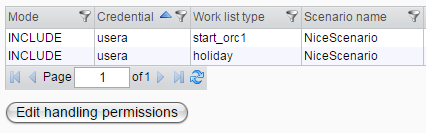
The table includes a context menu that provides options to delete or edit the selected handling permission. Multi-deletion is also supported by selecting all items and then using the context menu to delete them. A click on the edit button opens the following dialog:
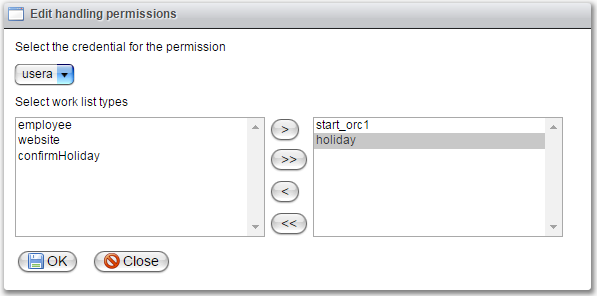
All handling permissions have the type "INCLUDE," meaning you must define all work list types that the user is allowed to handle.
Select the credential for which you want to edit the permissions from the drop-down menu. Move all types that the credential should be allowed to handle to the right side, while leaving the ones it should not handle on the left. Use the ">>" button to move all types to the right side.
If you make changes and then switch to another credential, a dialog will prompt you to save your changes. The permissions are then created or deleted based on the types you moved to the left side.
If a process attempts to create a work list item for a credential that, according to the permissions, is not allowed to do so, an exception is thrown before the item is added to the work list server. For a type that is a start type, only credentials with the necessary permission are allowed to start it.